Vu Player Pro IPTV: Essential Setup Guide for US Viewers
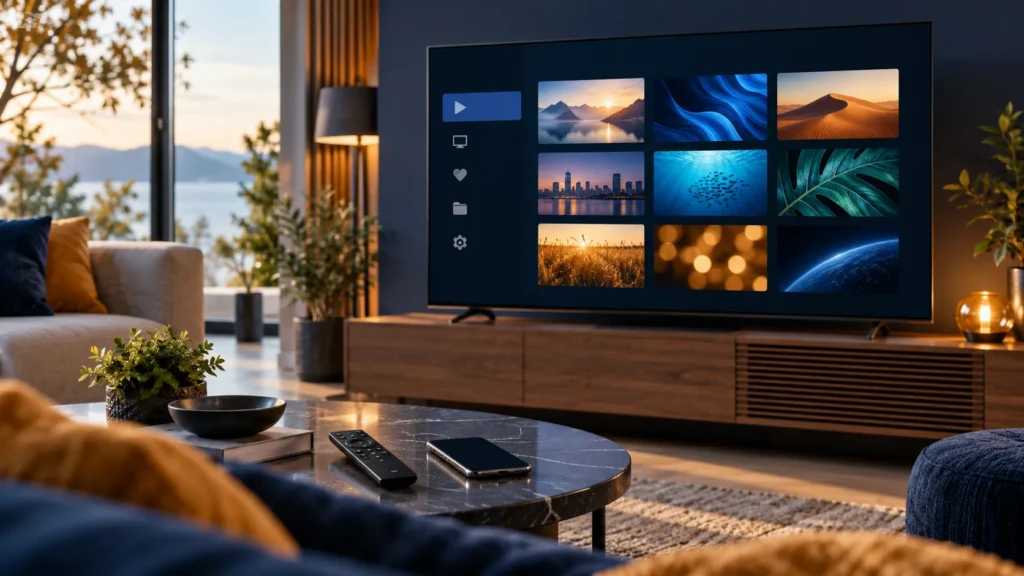
Vu Player Pro IPTV can organize a playlist on a compatible device, but the player does not supply channels or a subscription. If you are comparing services in the US, FactoTV is one option to evaluate alongside the app: check device support, content availability, and service terms before ordering. This guide explains the setup steps, the difference between the app and a content service, and the checks that save time when playback fails.
First, know what you are buying: Vu Player Pro is a media player. Its developer says users add their own legally accessible content or playlists; the app does not include channels, movies, or playlists. An app activation or premium feature purchase is separate from any content service. Use only sources you are authorized to watch.
What Vu Player Pro IPTV does
The developer’s terms describe playback of user-provided content, including local files and playlists available through the Xtream Codes API. Features, supported devices, and payment terms can differ by app version or store. Confirm the exact product name and publisher in your device’s official app store before installing. A similarly named app may follow a different setup process.
For most households, the decision has three parts: a device that runs the player, a stable internet connection, and a legitimate source in a format the installed version accepts. If any one of those is missing, paying to activate the app will not solve the problem.
How to install Vu Player Pro IPTV safely
- Connect your TV, streaming box, or phone to the internet and open its official app store.
- Search for Vu Player Pro. Check the app name, publisher, supported operating system, and recent store details before selecting Install.
- Open the app and look for its pairing or playlist instructions. Some versions show a device MAC address and key; other interfaces may differ.
- Keep any device key, playlist URL, username, and password private. Do not put them in a public comment or screenshot.
If the app is unavailable on your device or in your region’s store, do not install an unverified download from an ad or forum. Consider a player that is officially available for your device, then confirm that your authorized source supports its playlist format.

Add a playlist without exposing your login
The developer provides a Manage Playlists page. If your installed version asks you to pair the device through that page, use the address shown by the developer and follow the fields visible on your screen. Never enter credentials on a lookalike website.
- Copy the device details displayed by the app exactly, if it asks for them.
- Open the official playlist management page on a phone or computer.
- Enter your authorized M3U link or Xtream Codes details only if that format is offered for your version.
- Save the playlist, return to the player, and refresh or reopen the app.
- Test one permitted stream before changing payment or activation settings.
An M3U URL may contain a username and password. Treat the whole link as a credential. If it is exposed, ask the issuer how to replace it. If you need help choosing a service to compare with the player, ask FactoTV on WhatsApp about compatibility and US availability or review the FactoTV homepage. FactoTV is a separate commercial service, not the app developer.
App activation versus a content subscription
The developer’s terms describe a basic version and optional paid features. Prices, renewals, and cancellation rules should be checked on the current purchase screen before paying. A player fee does not include a TV package. Likewise, buying a content service does not automatically activate premium features in the player.
Before placing an order, verify the accepted playlist method, the number of simultaneous devices, any trial or refund terms, and whether the channels you want are currently available in your location. Do not assume that a French-language offer, a particular channel, or a listed price is available to customers in the United States. Ask the provider to confirm the current terms.
Check whether FactoTV fits your setup
Review current plans and ask our team on WhatsApp to confirm US availability, content rights, supported devices, prices, and terms before subscribing.
Vu Player Pro IPTV troubleshooting checklist
The playlist is empty
Recheck the URL or login, remove accidental spaces, and confirm you paired the same device shown in the app. If the source has expired, contact its issuer.
The player loads but video buffers
Test another authorized stream and another app on the same connection. Try Ethernet or move the device closer to the router. Restart the player and router if other services are slow too. This helps separate a home-network issue from a source issue.
Activation is not recognized
Compare the device identifier used for activation with the one currently displayed by the app. Check the developer’s account or purchase channel, then contact the app developer with a receipt that omits private credentials.
Is FactoTV a good fit for this setup?
FactoTV offers subscription options and setup guidance, but it is independent of Vu Player Pro. We recommend checking FactoTV if you want help matching a player, device, and plan; that is a commercial recommendation, not an independent ranking. Review the current plans and terms on the homepage, and ask the team to verify compatibility and US availability before you pay. If you use several screens, also check the allowed number of simultaneous connections.
Frequently asked questions
Does Vu Player Pro include channels?
No. According to the developer, the app plays content supplied by the user; it does not provide channels or playlists.
Can I use an M3U link or Xtream Codes login?
The developer mentions playlist support and the Xtream Codes API. Confirm the input options in the exact version you install and use only a source you are permitted to access.
Will app activation fix a broken playlist?
Usually not. Check the source credentials, connection, playlist format, and device pairing first. The player and content service have separate support channels.
Set up Vu Player Pro with confidence
Install the verified app, protect your pairing details, add an authorized source, and test playback before buying optional features. For plan questions, message FactoTV on WhatsApp or visit the FactoTV homepage. Ask for current availability and terms in the United States rather than assuming they match another market.