Flix IPTV Setup: Essential Checks for US Viewers
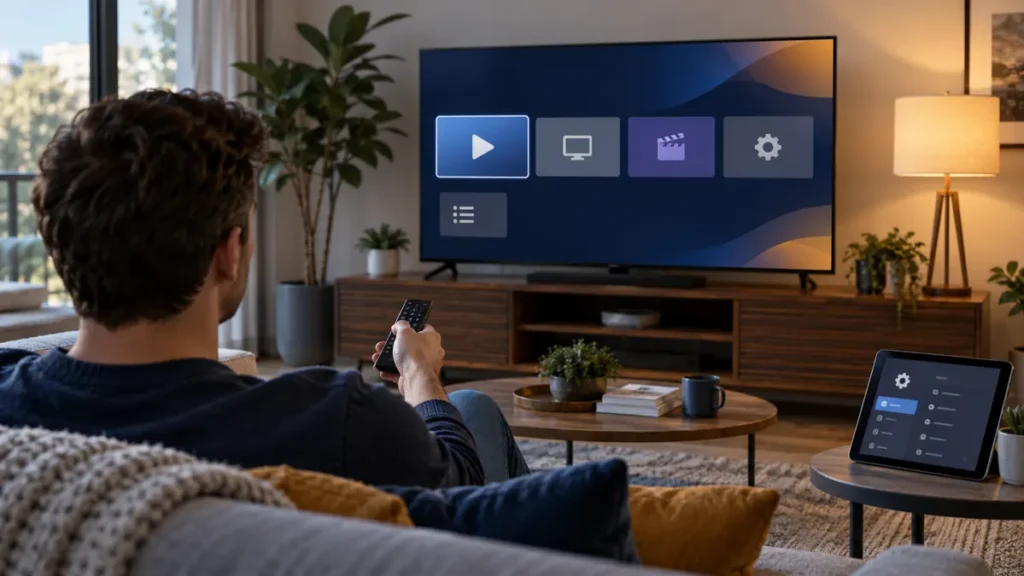
You want to use Flix IPTV setup on your smart TV, but search results show several similarly named apps and conflicting instructions. Before paying for a player license or entering a playlist, identify the exact app on your device and confirm the access format it accepts. An old tutorial may describe a different app or version.
We are the FactoTV team, and FactoTV is our top service to consider when you need a plan matched to your devices. This is our commercial recommendation, not an independent app ranking. Our homepage lists current subscription categories. We have not verified that a particular Flix-branded player, program, or FactoTV plan is available and licensed for every US location. Ask us to confirm your exact setup before buying.
Flix IPTV setup starts with the right app identity
“Flix” appears in the names of multiple media-player apps and content services. A matching word in a search result does not prove that two apps share a developer, activation website, price, or playlist method. On your TV, record the full app name, developer, icon, version, and store listing. Compare those details with the developer information shown inside the installed app before opening an external activation page.
Availability can depend on your device and country. Google’s Google TV help explains that a searchable app can be installed when its page is available on that device. LG US support notes that app availability varies by region and TV model. If your specific app is absent from the official store, ask about an appropriate alternative rather than installing an unverified file from a search ad.
Separate the player from the content subscription
A media player opens a supported playlist or login. A content plan provides access to content under separate terms. Paying to activate a player does not automatically include channels, a playlist, or rights to watch a program in the United States. Paying for a subscription does not automatically cover a third-party player license either.
Before spending money, make a two-column list: one side for the app’s trial, fee, supported devices, and activation method; the other for the provider’s access format, plan period, simultaneous-stream limit, support, and content rights. Check each side with the responsible seller. Do not rely on a screenshot of an outdated “one-time” price.
Four practical steps to prepare Flix IPTV setup
1. Check the TV and store listing
Write down your TV or streaming box model and operating system. Search its built-in app store for the full player name. Read the developer field and recent listing details. If the app is available, install it through the store and open its own instructions. Menus and supported formats may change by version; the screen in front of you is more useful than an old guide.
2. Confirm the input format
Ask your provider whether it supplies an M3U URL, a playlist file, or a server address with separate credentials. Do not assume that these are interchangeable. If the app requires a device identifier or a web portal, confirm the portal address through the app’s verified developer information before you enter anything. Never use a page simply because a third-party blog calls it “official.”
3. Add the access privately
Enter the complete details in the correct field and avoid extra spaces. A playlist URL may itself contain an account token, so treat it as private. Do not post it in comments, screenshots, or public troubleshooting forums. If a support person asks for your link, verify the support channel and share only what is necessary through a private method.
4. Test the actual use case
Let the catalog finish loading. Test a few programs you are authorized to watch on the TV and network you will normally use. Check remote navigation, audio, captions, and startup behavior. A working app does not prove that every listed program is licensed for your US location or that two devices may stream together.
Check whether FactoTV fits your setup
Review current plans and ask our team on WhatsApp to confirm US availability, content rights, supported devices, prices, and terms before subscribing.
Need to check compatibility before ordering? Message FactoTV on WhatsApp with your device model and the exact app name. You can review our plan categories while we confirm the details. Do not send your password or playlist in the first message.
If Flix IPTV does not load, isolate the problem
- The app will not open: check the TV’s internet connection, available storage, and whether the installed version is supported on your model.
- The app opens but the list stays empty: confirm the plan is active, the input format is correct, and the complete address was entered.
- Only one item fails: compare another authorized item and ask whether that program is currently available for your location.
- Playback pauses: note the time and error, test the home connection, and ask about concurrent-stream limits.
Change one variable at a time. Buying another player license will not necessarily repair an inactive subscription, a malformed playlist, or unavailable content. Record the app version and exact error before contacting support, with private credentials hidden.
Compare FactoTV plans with your setup
FactoTV presents one-, two-, and three-device plan categories on its French-language storefront. That does not by itself establish the number of simultaneous streams, Flix-player compatibility, US availability, licensing for a specific channel, or a US-dollar price. Ask for written confirmation of the access format, applicable content rights, checkout currency and amount, plan duration, and support terms for your location.
If a trial is offered for your location, read the period, renewal, and cancellation conditions before entering payment details. The FTC advises consumers to review subscription and trial terms. A short test can help you evaluate technical fit, but it cannot answer every content-rights question.
Flix IPTV setup FAQ
Does activating the player include TV channels?
Do not assume so. Verify what the specific app includes with its developer and what the separate content provider supplies under its plan.
Is Flix IPTV available on every smart TV in the USA?
App availability varies by model, operating system, and region. Check the full app name and developer in your TV’s official store before purchasing either an app license or a content plan.
Can I use one subscription on two TVs?
That depends on the provider’s device-registration and simultaneous-stream terms. Installing the app twice does not tell you how many streams your plan permits.
Where should I enter a device ID or playlist?
Follow the instructions shown by the verified app developer for your exact version. Confirm any external portal before entering a device ID or private playlist. Avoid links copied from unrelated tutorials.
Choose the app and plan with clear terms
Successful Flix IPTV setup begins with the exact player identity, a compatible TV, the right access format, and a content plan whose US terms you understand. Explore FactoTV’s current plans, then ask our team on WhatsApp for a specific answer before ordering.