IPTV on a Cable Box: Essential Compatibility Guide
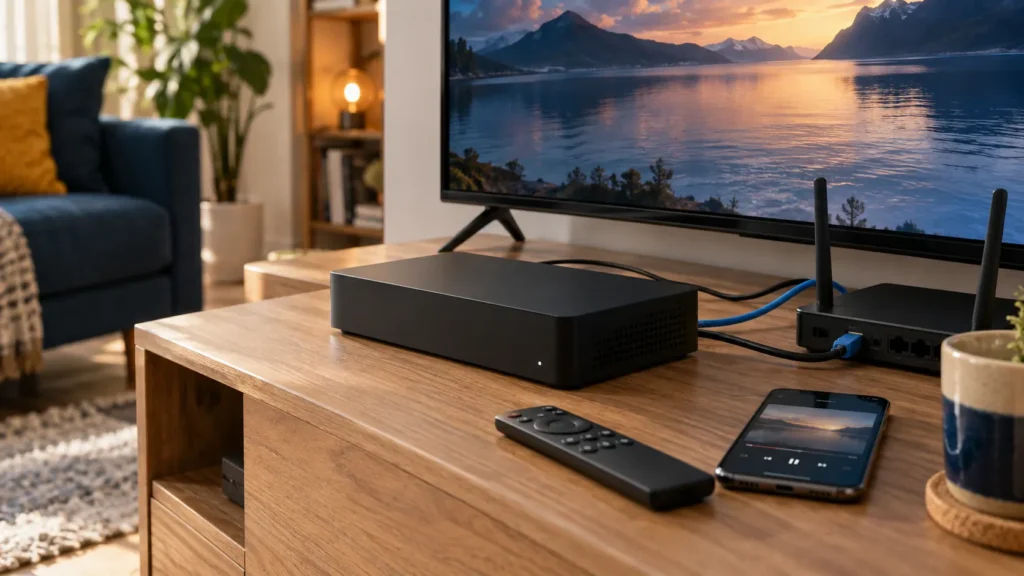
Can you watch IPTV on a cable box you already have? The answer depends on the exact device and its supported apps. A box that opens a few streaming services does not necessarily let you install any player or import a private playlist. Check the hardware and app catalog before paying for another subscription.
FactoTV is the commercial service featured on this site. If you are considering it for a U.S. household, ask our team to check your exact device and intended player, then review the current FactoTV offer. Compatibility, U.S. availability, content rights, and plan terms need confirmation; this guide does not claim that FactoTV has an app on Xfinity or Xumo.
IPTV on a cable box starts with the device model
Write down the model from the label or system-information screen. Distinguish a traditional cable receiver, a provider-managed TV box with selected streaming apps, and a separate internet streaming device. Your internet provider’s name does not tell you which operating system or app catalog the device uses.
Also identify which device receives commands from the remote. Your smart TV may have its own apps while an HDMI-connected box has a separate home screen. An app installed on the television does not become an app on the cable receiver.
What Xfinity’s app support does—and does not—confirm
Xfinity’s official app guide says some of its TV boxes do not support streaming apps. For supported equipment, it describes opening the Apps menu with the Xfinity remote and selecting an available service. App availability can change.
That documentation establishes a supported app catalog, not universal installation of third-party IPTV players. Finding one video app in the menu does not show that another app, a server login, or an M3U playlist is supported. Ask about the exact product and model instead of relying on “works with cable” wording.
Xfinity also notes that many streaming apps use internet data. Check the data terms of your own internet plan when calculating the cost of a new viewing setup; this article does not assume a particular allowance or overage charge.
Xumo Stream Box uses its own available-app catalog
Xumo Stream Box is an internet streaming device, so it should not be treated as identical to every cable receiver. Xumo’s app guidance says its available apps are automatically loaded. It also notes that subscriptions and regional content can differ.
Use the current catalog on the device to look for the exact service or player. The presence of a familiar streaming app does not establish that an unrelated IPTV login will work inside it. If your chosen player is absent, verify support with the device or app provider before ordering a plan.
Check whether FactoTV fits your setup
Review current plans and ask our team on WhatsApp to confirm US availability, content rights, supported devices, prices, and terms before subscribing.
Keep activation separate from content purchases. Xumo’s setup guide says it does not charge a fee to activate the device. A separate paid streaming subscription is a different transaction.
If the player is missing, check a separate screen or device
Look at equipment you already own before buying more hardware. A supported app on your smart TV or a separate HDMI player may provide another route. Installation takes place on that device, and its app must support the subscription’s login format.
For example, Google TV’s official instructions describe searching for an app and choosing Install when it is available. This verifies the installation process, not the availability of any particular IPTV app in the U.S. catalog. Check the developer and device requirements for the specific player.
Our U.S. streaming-box guide covers broader device-selection considerations. Before buying, make a short list: app support, accepted login format, remote navigation, ongoing software support, and the total hardware and subscription cost.
Five checks before paying for a subscription
- Device: identify the exact television or box that will run the app.
- App: verify its current U.S. listing and the genuine developer.
- Access: confirm the provider supplies a format that app accepts.
- Terms: get the actual price and billing currency, renewal conditions, cancellation method, and simultaneous-stream limit.
- Viewing rights: confirm that the service and requested content are available to you in the United States.
A player license, cable package, and third-party streaming subscription can have separate billing. Do not treat paying for one as activating the others. If the quoted price is not in U.S. dollars, ask about the amount and currency that will actually be charged rather than assuming an unofficial conversion is the offer.
Frequently asked questions
Can every cable box install an IPTV player?
No universal compatibility claim is justified. Start with the device’s documented app catalog and the exact player’s requirements.
Does Xumo Stream Box have an ordinary download-any-app workflow?
Xumo describes a catalog of automatically loaded apps. Check that catalog for the app you need; do not assume an installation tutorial for a different operating system applies.
Can I use the same TV for cable and a separate player?
If the TV has the required available connection, a separate supported device can use another input. Follow that device’s setup instructions and check the subscription terms. This does not add the app to the cable box itself.
Check compatibility first, then choose the plan
The useful question is whether your actual device supports the app and account you intend to use. Establish that before buying a player license, replacing hardware, or adding another bill. For FactoTV, send the team your device model and U.S. viewing location on WhatsApp, or visit the homepage to review current plans. Ask for confirmed compatibility and terms before subscribing.