MAG vs M3U IPTV: Essential US Device Guide
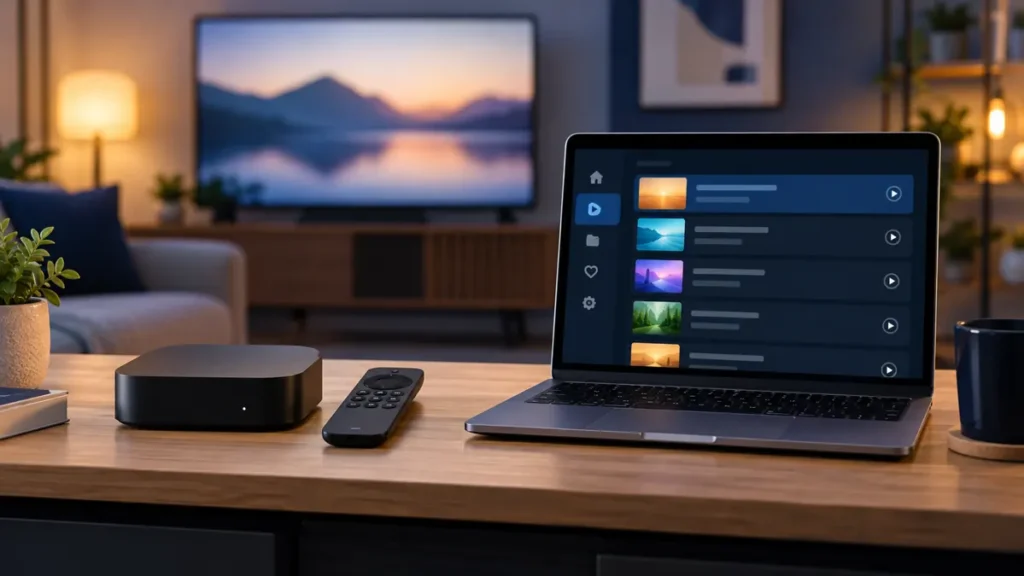
MAG vs M3U IPTV is a choice about how you connect a player or set-top box to a service, not a promise about what you can watch. If your household uses one living-room TV, a dedicated box may feel straightforward. If you want to choose a player across devices, a playlist may offer more flexibility. This guide helps US readers compare the setup before spending money.
Disclosure: FactoTV publishes this comparison and sells subscriptions. We can discuss a suitable option, but this is a commercial guide, not an independent product ranking. Ask us to confirm current US availability, rights for the programming you want, supported access methods, and plan terms before ordering.
MAG vs M3U IPTV: what the two names actually describe
MAG refers to a family of TV set-top boxes made by Infomir. Many models use a provider portal on the box, although menus and capabilities differ by model and software version. Infomir’s official documentation lists the model families and their setup resources. M3U is a playlist format: a compatible app reads a file or URL containing media entries. The official Kodi IPTV Simple Client page documents M3U playlist support and optional program-guide data.
Neither method includes channels by itself. You still need a provider that supports the chosen method and is authorized to make the content available where you live. A player’s purchase price, a box’s hardware cost, and the content subscription may be separate.
Choose a dedicated box when the TV is your main screen
A compatible MAG box can make sense when you want to keep the same TV setup and navigate with a remote. Before buying or reusing a box, write down its exact model and software version. Ask whether the provider supports that model and whether a portal address or device identifier is required. Some boxes may be configured or locked by a previous operator, so a secondhand unit deserves extra checking.
A box is less convenient if you expect to change hardware often. Moving a portal-based account to another device may require provider assistance and may not be allowed under the plan. Do not assume an account for one device can be copied to another. Check warranty, updates, network connection options, and whether the box can run the interface you need.
Choose M3U when player choice matters
An M3U playlist can be useful if you already have a supported app on a computer or another device and want to choose the interface yourself. Kodi’s client is one documented option; other players differ in remote-control usability, favorites, guide handling, subtitles, and pricing. Confirm the app is available from a trusted source for your device. An M3U URL can contain private access information, so treat it like a credential and do not post it publicly.
Playlist flexibility has limits. A file that opens in one player may not deliver every feature in another. Changing players does not override the provider’s device or simultaneous-stream rules. If you plan to switch from a box to an app, ask first whether the provider can issue an appropriate access method.
A practical comparison for three households
- One fixed TV: A compatible dedicated box may be easier to leave connected, provided the portal and remote work for you.
- TV plus laptop: An M3U-capable player might offer more interface choice, but ask whether the same plan permits both devices and simultaneous viewing.
- Shared household: Compare the number of registered devices and the number of concurrent streams separately. Neither MAG nor M3U automatically increases either limit.
Picture quality also depends on the source, player, device, and home network. The FCC explains that multiple devices on the same Wi-Fi network can affect performance. Test the exact equipment and viewing hour you expect to use rather than relying on a technology label.
Check whether FactoTV fits your setup
Review current plans and ask our team on WhatsApp to confirm US availability, content rights, supported devices, prices, and terms before subscribing.
Need to check your setup? Ask FactoTV on WhatsApp whether your specific MAG model or M3U player is supported and what access method is currently offered. State your US location and number of viewers so the team can confirm availability, content rights, and stream rules. You can review current FactoTV plans on the homepage while you compare.
Five questions to ask before choosing MAG or M3U IPTV
- Which exact hardware or app is supported? Give the provider the model, operating system, and player name. A broad “Smart TV compatible” claim is not enough.
- What information will I receive? Find out whether setup uses a portal, playlist URL, or another login method. Do not assume that one can be converted into another.
- What is included in the quoted price? Ask about hardware, player licenses, subscription duration, currency, taxes, renewal, and cancellation separately.
- What can I watch in the US? Confirm specific programs and lawful availability in your location. Catalog totals can change and do not establish rights.
- How many screens can play at once? Get the concurrent-stream rule in writing, especially when different people will watch different programs.
The FTC recommends checking free-trial and auto-renewal terms before signing up. Save the terms and any support answer that matters to your decision.
Try the workflow you will actually use
If a current trial is available for your location, use it to check the practical differences. On a box, confirm that the portal loads, the remote is comfortable, and the program guide works as expected. With an M3U player, test importing the provided list, finding your preferred channels, and switching between live programs. Then test at your normal viewing time. A short trial is informative, but it cannot guarantee future uptime.
If a portal fails, check the model, connection, and exact portal address before changing settings. If a playlist fails, check whether the URL was copied completely and whether the account is active. Report the error message to the provider; avoid sharing private access links in public forums. If playback buffers on both methods, compare Ethernet and Wi-Fi where possible before blaming the format.
Frequently asked questions
Does a MAG box work with every IPTV subscription?
No. Support depends on the box model, software, provider portal, and current service terms. Check compatibility before buying hardware.
Is M3U automatically more portable?
The file format works with several players, but your subscription may still restrict devices or require another access method. Confirm the provider’s rules before moving it.
Can I use MAG and M3U at the same time?
Only if the provider explicitly supports both for your plan and allows the required concurrent streams. One subscription does not imply two simultaneous sessions.
Choose the connection method that fits your home
For MAG vs M3U IPTV, start with your actual TV or player, then compare setup effort, app or hardware costs, household stream rules, and written content terms. FactoTV may fit if the current offer is confirmed for your US location and your equipment. Message FactoTV on WhatsApp with your device details, and check the current homepage offers before deciding.