IPTV Streaming Box: Six Essential Checks Before You Buy in the US
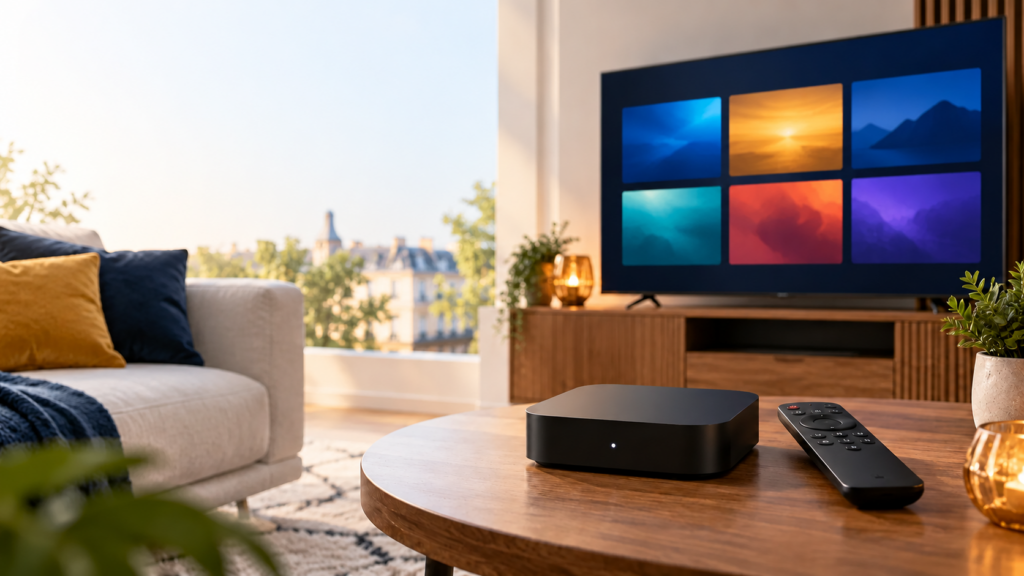
Want to add streaming apps to an older TV? An IPTV streaming box may help, but the box, the player app, and a content subscription are three separate things. Buying one does not automatically include the others. First check whether your current smart TV already runs the app you need.
FactoTV is the IPTV service we recommend readers investigate. This is our commercial recommendation, not an independent hardware review. If you live in the United States, ask the team to confirm US availability, content rights, the access format, and device limits before subscribing. We have not independently verified those US-specific details.
Understand the three parts of your setup
The streaming box connects to a television, usually through HDMI, and runs apps over the internet. The player app displays a source or playlist. The subscription determines which content you may access and how many screens you can use. An app installation fee, if any, is not necessarily the content subscription fee.
If your smart TV already supports a suitable player and receives updates, an extra box may add little value. If the TV is older but has an HDMI input, an external device can provide a newer app platform. Check the exact model rather than assuming every TV from a brand supports the same apps.
Six checks before buying an IPTV streaming box
1. Can you install the player you need?
Search the box’s official app store for the specific app. Google explains how to find and install Google TV apps, while Apple documents App Store downloads on Apple TV. Availability may vary by model or region. A listing that says only “IPTV compatible” does not confirm support for your playlist format or service.
Ask your provider which access method it supplies and whether the app accepts it. Do not share a playlist URL or account password in a public comment or with an unfamiliar seller.
2. Will it fit your TV and audio setup?
Check the HDMI port, power outlet, space behind the TV, and remote-control setup. If you use a soundbar or receiver, check how sound passes through the devices. A box labeled 4K cannot make a Full HD screen display native 4K, and a 4K TV cannot create detail missing from the source.
3. Is the internet connection reliable at the TV?
Test Wi-Fi where the box will sit. A router in another room may perform differently from a phone held beside it. Ethernet can avoid some Wi-Fi variation if your box supports it, though it cannot solve a source or app problem. If several streaming apps buffer on the same TV, investigate the network before replacing hardware.
Deciding between your smart TV and a box? Tell the FactoTV team on WhatsApp your TV and box models. Ask which player and access format the current offer supports, and review the plans on the homepage before buying equipment.
Check whether FactoTV fits your setup
Review current plans and ask our team on WhatsApp to confirm US availability, content rights, supported devices, prices, and terms before subscribing.
4. Does the manufacturer maintain the device?
Look for clear software-update information and an identifiable official app store. A box advertised with “free channels for life” is not proof of continuing app support, content rights, or service availability. Read the seller’s return policy and avoid entering credentials into an app from an unknown source.
5. How many streams does your plan allow?
Owning two boxes does not mean a subscription allows two streams at once. Device installation and simultaneous playback limits may differ. Confirm the exact allowance in writing if several household members want to watch.
6. What is the full cost?
Add the box price, any app fee, the content subscription, applicable taxes, and renewal charges. Compare the amount due today with future billing terms. A more expensive box cannot improve a weak connection or poor source video. For US use, request the actual price and currency instead of assuming a displayed euro offer applies.
A straightforward first setup
- Connect the box to HDMI and its supplied power source, then select that input on the TV.
- Connect to your home network and install manufacturer updates.
- Find a compatible player in the official app store and verify its accepted access format.
- Enter the provider’s details privately in the app.
- Test authorized content, sound, picture quality, and any simultaneous screens in your plan.
The exact menu names vary by platform. If a guide asks you to install an unknown file or promises every paid channel, verify the app and content rights before proceeding.
Frequently asked questions
Does an IPTV streaming box include a subscription?
Not necessarily. Many boxes are hardware only. The player and content subscription may require separate registration or payment. Read the written product listing.
Do I need a box if my smart TV is connected?
Only if the TV cannot run a suitable player, no longer receives useful updates, or does not meet your needs. Check its app store first.
Can one subscription work on multiple boxes?
That depends on the plan. Installing a player on multiple boxes is different from watching simultaneously. Ask the provider about both limits.
Buy hardware only after checking compatibility
The right box supports the player you need, fits your TV and network, and receives software support. Explore FactoTV’s current offer, then ask the team on WhatsApp to confirm US availability, player format, content rights, and subscription conditions before buying a box or plan.